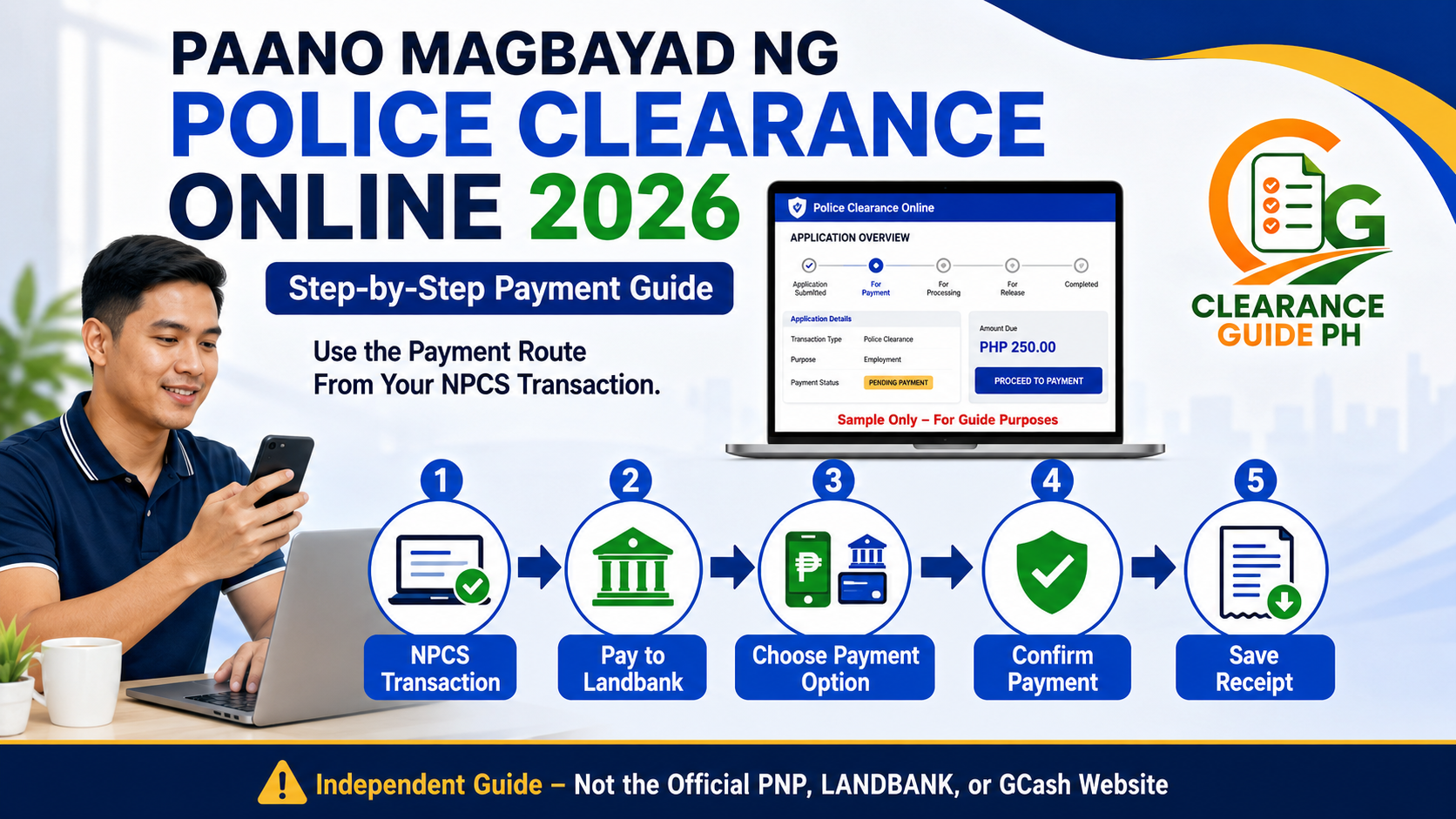
Paano Magbayad ng Police Clearance Online 2026: Step-by-Step Payment Guide
Kung tapos ka na mag-register sa National Police Clearance System at nakapili ka na ng police station, date, and appointment time, next step na ang payment. Dito madalas nalilito ang applicants kasi akala nila direct sa GCash app lang agad, pero usually dumadaan ang payment sa Landbank ePayment Portal / Link.BizPortal or payment gateway na ibibigay ng system.
Good news: hindi naman mahirap magbayad ng Police Clearance online basta tama ang reference number, payment option, and receipt na ise-save mo. Ang importanteng tandaan: huwag magbayad sa random tao, fixer, or unofficial page. Gamitin lang ang payment link or payment button na galing sa official National Police Clearance System.
The official NPCS guide says applicants click the Pay to Landbank button, then they are directed to the LBP ePayment Portal for payment. It also lists the clearance fee as PHP 150, with additional convenience fee varying depending on payment option.
Disclaimer: ClearanceGuidePH.com is an independent guide website. Hindi ito official website ng Philippine National Police, Landbank, GCash, or any payment provider. Always verify final fee, payment option, and transaction status through the official NPCS portal and actual payment screen.
Quick Answer: Paano Magbayad ng Police Clearance Online?
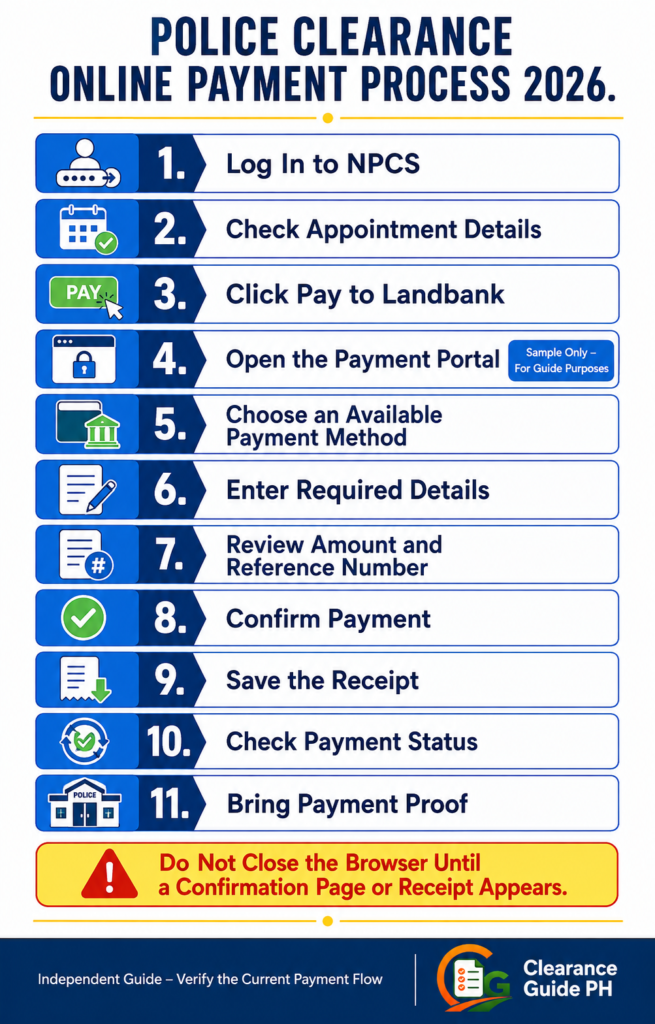
Para magbayad ng Police Clearance online, mag-login sa National Police Clearance System, pumunta sa iyong transaction or appointment, click Pay to Landbank, then sundin ang payment instructions sa Landbank ePayment Portal. Piliin ang available payment option tulad ng Landbank, e-wallet, BancNet, or other payment methods shown on your screen. After payment, save your receipt and bring proof of payment, valid ID, and NPC reference number sa police station.
Simple process:
- Mag-login sa National Police Clearance System
- I-check ang appointment details
- Click Pay to Landbank
- Ma-redirect ka sa LBP ePayment Portal
- Piliin ang available payment method
- Enter the required details
- Review the amount and reference number
- Confirm payment
- Save or screenshot the receipt
- Check if payment is reflected
- Bring proof of payment on appointment day
Real tip: Huwag mo munang isara ang browser habang nagbabayad. Hintayin munang lumabas ang confirmation page or receipt.
Magkano ang Police Clearance Fee 2026?
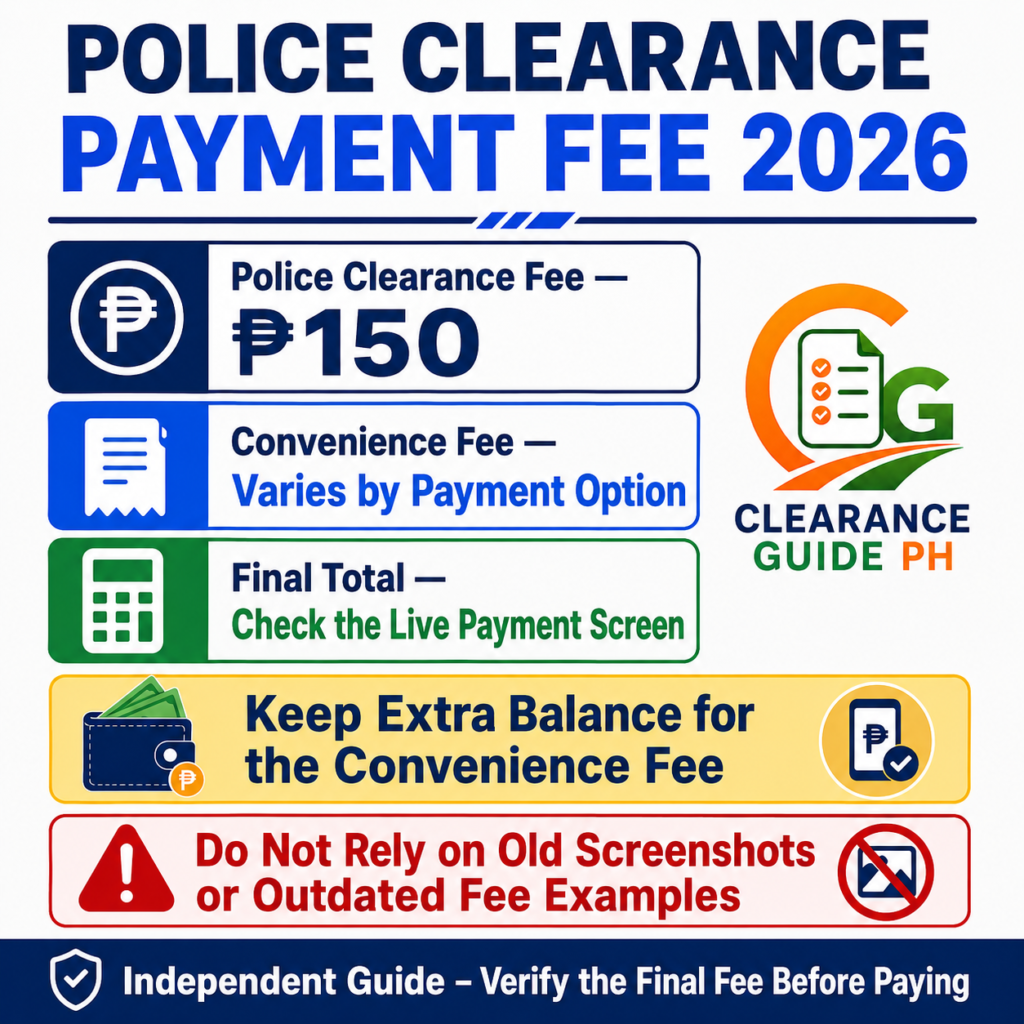
Based sa official NPCS guide, the Police Clearance fee is PHP 150, and the additional convenience fee may vary depending on the payment option.
Sample Fee Breakdown
| Item | Amount |
| Police Clearance fee | ₱150 |
| Convenience fee | Varies |
| Total | Depends on payment screen |
Important: Huwag mag-base sa old screenshot. Kung ang actual payment screen mo ay may ibang convenience fee, sundin ang amount na nasa live transaction mo.
Real tip: Bago mag-confirm, check mo ang final amount. Kung kulang ang GCash balance or bank balance mo dahil sa convenience fee, hindi magtutuloy ang payment.
Ano ang Kailangan Bago Magbayad?
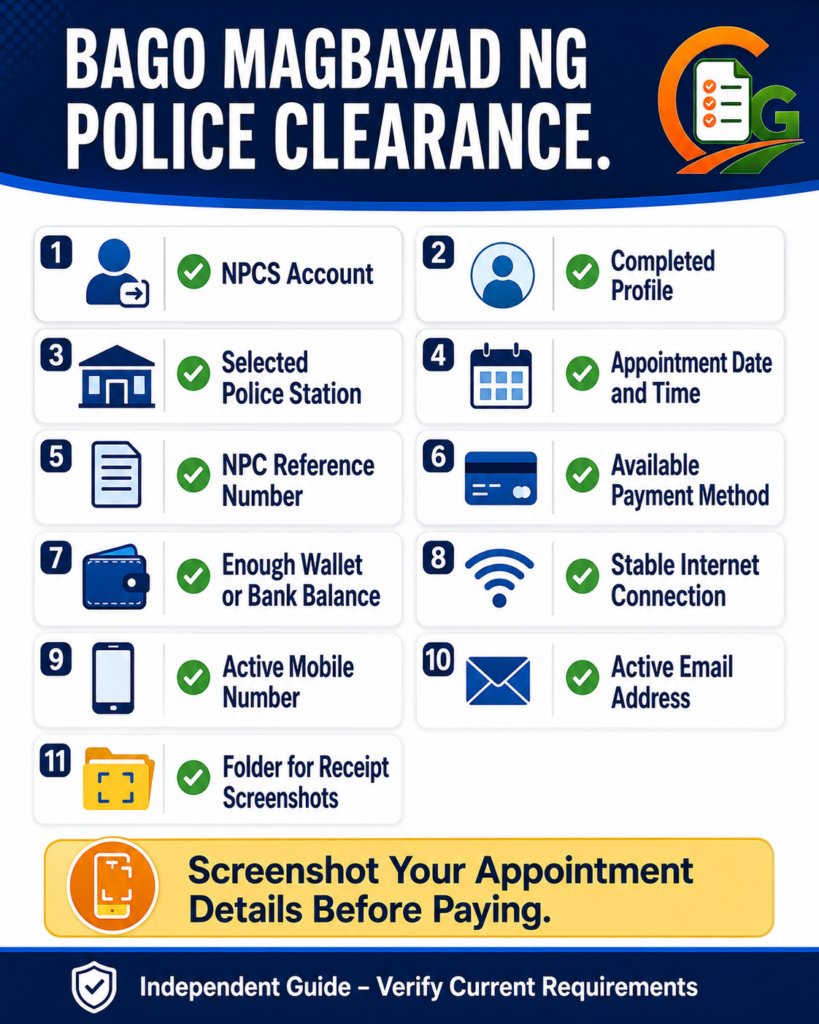
Bago ka magbayad, siguraduhin na ready ang mga ito:
- NPCS account
- Completed profile
- Selected police station
- Appointment date and time
- NPC reference number
- Payment method
- Enough wallet or bank balance
- Stable internet connection
- Active mobile number
- Email address
- Screenshot folder for receipt
The official NPCS guide says applicants should present their valid government-issued ID, proof of payment/payment confirmation, and NPC reference number at the police station.
Real tip: Screenshot mo muna ang appointment details bago magbayad. Kung nag-error ang payment page, may proof ka pa rin ng original transaction.
Step-by-Step Guide: Paano Magbayad ng Police Clearance Online
Step 1: Mag-Login sa National Police Clearance System
Pumunta sa official NPCS portal and log in using your registered email and password.
I-check muna kung tama ang:
- Name
- Birthday
- Address
- Police station
- Appointment date
- Appointment time
Kung hindi ka pa tapos sa registration and appointment, basahin muna ang guide namin sa Police Clearance Online Philippines para malaman ang full process bago payment.
Step 2: Open Your Transaction or Appointment
Pag naka-login ka na, hanapin ang iyong active transaction. Usually, makikita mo rito ang appointment details and payment option.
Check these before paying:
- Correct police station ba?
- Correct date and time ba?
- Tama ba ang name mo?
- May reference number ba?
- Ready ka ba sa appointment schedule?
Real tip: Kung mali ang police station or date, huwag muna magbayad. Ayusin muna kung possible, kasi mas hassle mag-correct kapag paid na.
Step 3: Click “Pay to Landbank”
Sa payment section, click Pay to Landbank. Ayon sa official NPCS guide, this will direct you to the Landbank ePayment Portal for the payment process.
Real tip: Kung nag-open ang new tab or popup, huwag agad i-close. Minsan doon mismo maglo-load ang payment gateway.
Step 4: Wait for the LBP ePayment Portal
After clicking payment, ma-redirect ka sa Landbank ePayment Portal or Link.BizPortal payment page.
Landbank explains that Link.BizPortal supports a variety of payment methods, including e-wallets, participating banks via BancNet Online, LANDBANK, and OFBank accounts.
Real tip: Check mo kung official-looking ang payment page. Huwag mag-enter ng bank or wallet details sa random page na hindi galing sa NPCS payment flow.
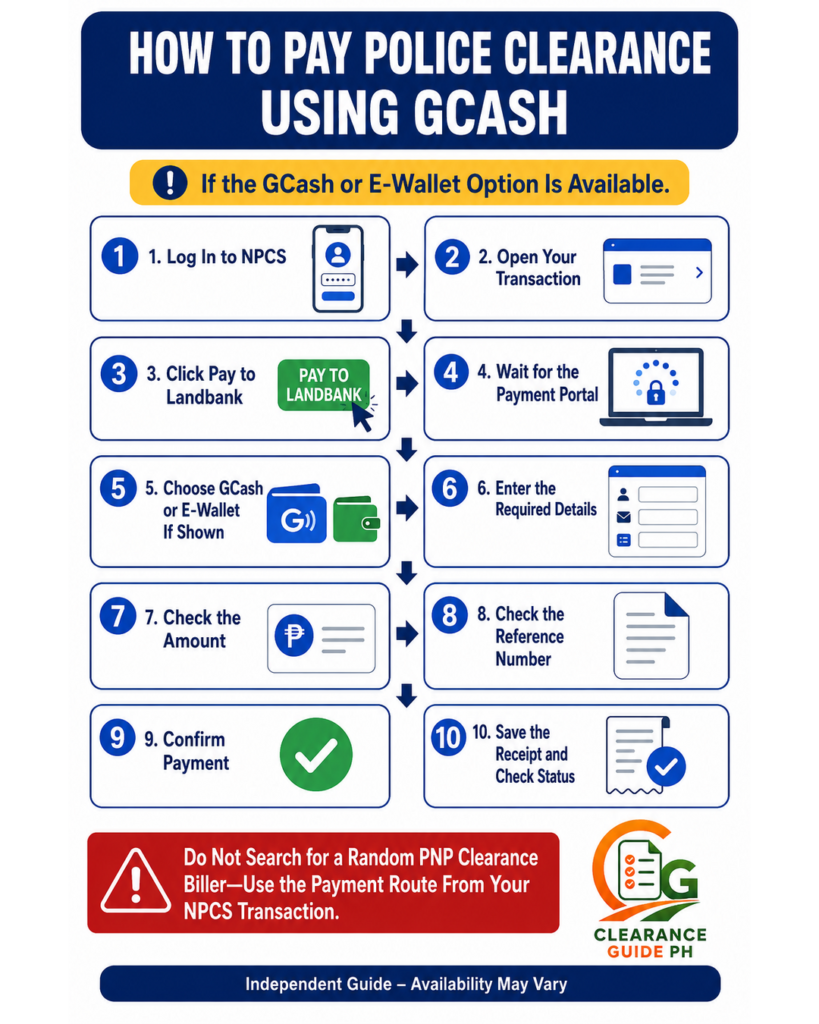
Step 5: Choose Your Payment Option
Piliin ang payment option na available sa payment page. Depending sa actual portal display, possible options may include:
- Landbank account
- GCash or other e-wallet option
- BancNet participating banks
- OFBank or online banking
- Other available payment channels shown by the portal
Important: Payment options can change. Kaya ang sundin mo ay kung ano ang lumalabas sa actual payment screen mo, hindi lang sa old tutorial screenshot.
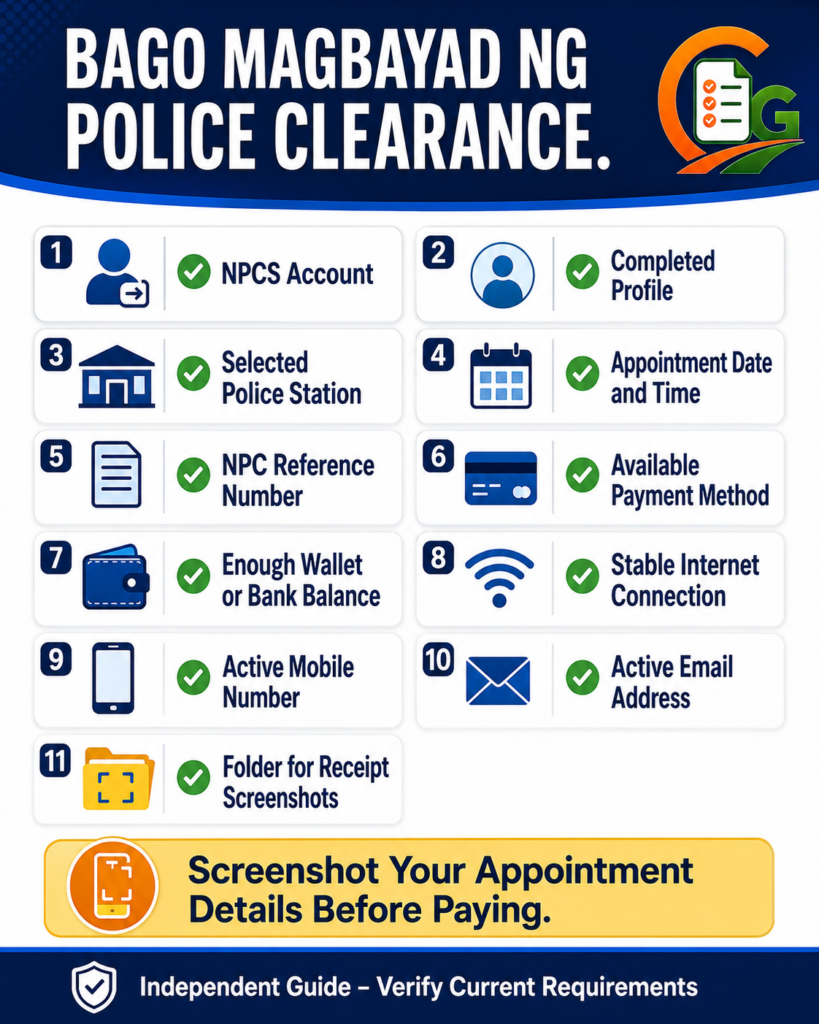
How to Pay Police Clearance Using GCash
Maraming applicants ang mas gusto ang GCash kasi mabilis and may digital receipt. Pero sa Police Clearance payment, mas safe na dumaan ka sa payment link/button from NPCS, then choose the available e-wallet/GCash option in the payment gateway if shown.
Step-by-Step GCash Payment
- Log in sa NPCS account
- Go to your transaction
- Click Pay to Landbank
- Wait for the Landbank ePayment Portal
- Choose the e-wallet/GCash option if available
- Enter required details
- Review amount and reference number
- Confirm payment
- Save the GCash or payment gateway receipt
- Check if transaction is paid
Real tip: Huwag magbayad by searching random “PNP Clearance” biller inside GCash unless iyon mismo ang instruction ng NPCS/payment gateway. Mas safe gamitin ang payment route na galing sa NPCS transaction para sure na linked sa appointment mo.
Kung gusto mong i-compare ang online payment flow sa NBI, basahin ang guide namin sa NBI Clearance GCash payment para makita kung paano gumagana ang reference number, receipt, and payment proof.
How to Pay Police Clearance Using Landbank
Kung may Landbank account ka, puwede mong gamitin ang available Landbank payment option sa portal.
Basic Flow
- Click Pay to Landbank from NPCS
- Wait for LBP ePayment Portal
- Choose Landbank payment option
- Enter required banking details
- Review transaction
- Confirm payment
- Save receipt
Real tip: Make sure ikaw mismo ang gumagamit ng account. Huwag ipagamit ang bank details sa ibang tao or sa computer shop.
How to Pay Police Clearance Using BancNet or Other Banks
Kung may participating bank ka, possible na may BancNet or online banking option sa Landbank ePayment Portal. Landbank’s Link.BizPortal page lists participating banks via BancNet Online among available payment methods.
Basic Flow
- Click Pay to Landbank
- Choose BancNet/online banking option if available
- Select your bank
- Enter required account/payment details
- Review transaction
- Confirm payment
- Save receipt
Real tip: Kung hindi ka familiar sa online banking, mas okay na gumamit ng e-wallet option if available, or ask help from someone trusted. Huwag magbigay ng PIN or OTP sa hindi mo kilala.
Can You Pay Police Clearance via Bayad Center or 7-Eleven?
Some payment gateways and public guides may show over-the-counter options like 7-Eleven, Bayad Center, or other payment partners, depending on what is currently available. But because payment partners can change, do not assume na always available sila.
Best rule: Follow the exact payment options shown after you click Pay to Landbank in your NPCS transaction.
If OTC Payment Is Available
Kung may over-the-counter option sa payment gateway:
- Choose the OTC/payment center option
- Save the payment reference number
- Go to the selected payment center
- Pay the exact amount
- Keep the printed receipt
- Check if status reflects in NPCS
Real tip: Kung over-the-counter ang pinili mo, huwag mawawala ang printed receipt. I-picture-an mo agad bago pa kumupas ang resibo.
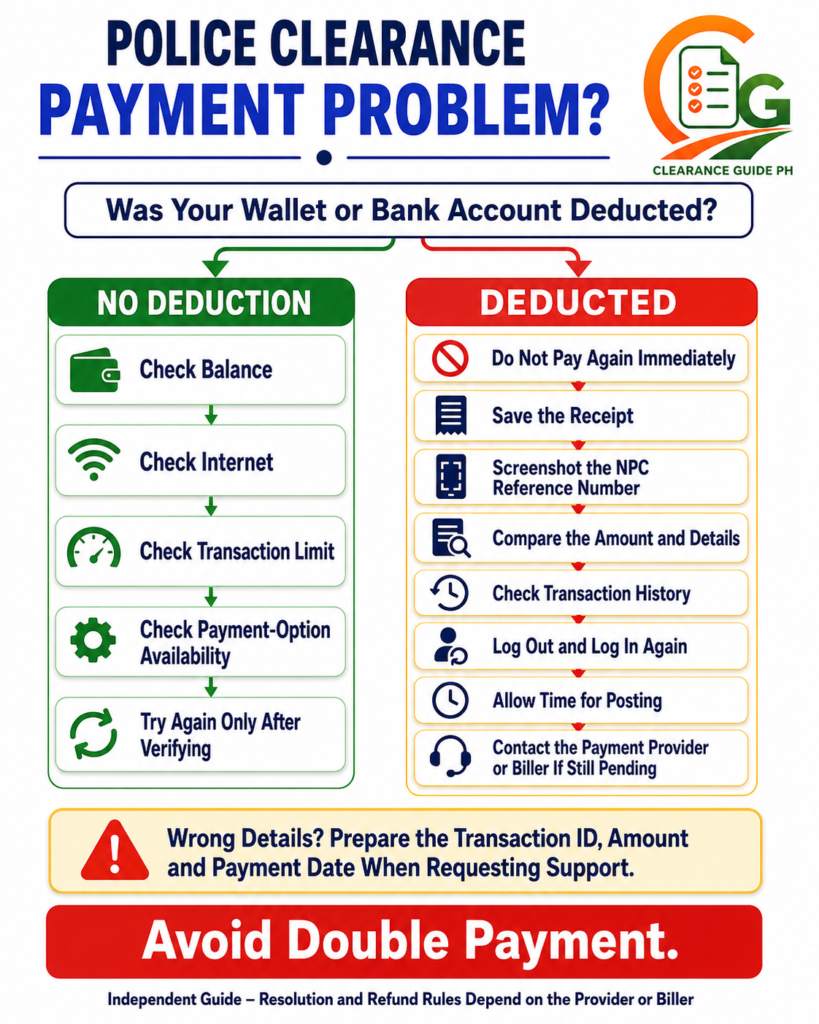
What If GCash Payment Failed?
Kung nag-error ang GCash or e-wallet payment, huwag agad mag-ulit nang maraming beses.
GCash advises users who cannot pay bills to check if the biller is available, make sure they have enough wallet balance, check transaction limits, and troubleshoot the app. It also notes that grayed-out billers may be under maintenance.
What to Check
- May enough balance ba?
- Stable ba ang internet?
- Correct payment option ba?
- Under maintenance ba ang biller?
- May transaction limit ka ba?
- Nabawasan ba wallet mo?
- May receipt ba?
Real tip: Kung nabawasan ang wallet pero walang paid status, huwag agad magbayad ulit. Screenshot everything first.
What If Wrong Details ang Nailagay sa Payment?
Kung mali ang reference number, amount, or biller, mas complicated ito.
GCash says that if incorrect bills payment details were entered, users should first check if their wallet was deducted; if there was no deduction, the payment did not push through and they may try again, but if the wallet was deducted, they should contact the biller directly because requests and refunds depend on the biller.
What to Do
- Check kung nabawasan ang wallet or bank mo
- Screenshot the receipt
- Screenshot the correct NPC reference number
- Do not pay again immediately
- Contact the payment provider or biller support
- Prepare transaction ID, amount, and date
Real tip: Bago magbayad, i-zoom ang reference number screenshot. Madalas ang problem ay isang maling digit lang.
What If Payment Is Successful Pero Pending Pa Rin?
Kung successful sa payment app pero pending pa rin sa NPCS, huwag agad mag-panic.
Do This First
- Check transaction history
- Save receipt
- Compare reference number
- Check the exact amount
- Log out and log in again
- Wait for posting
- Contact support if matagal pa rin
Real tip: Kapag deducted na at may receipt ka, mas safe na maghintay at mag-report properly kaysa magbayad ulit at magkaroon ng double payment.
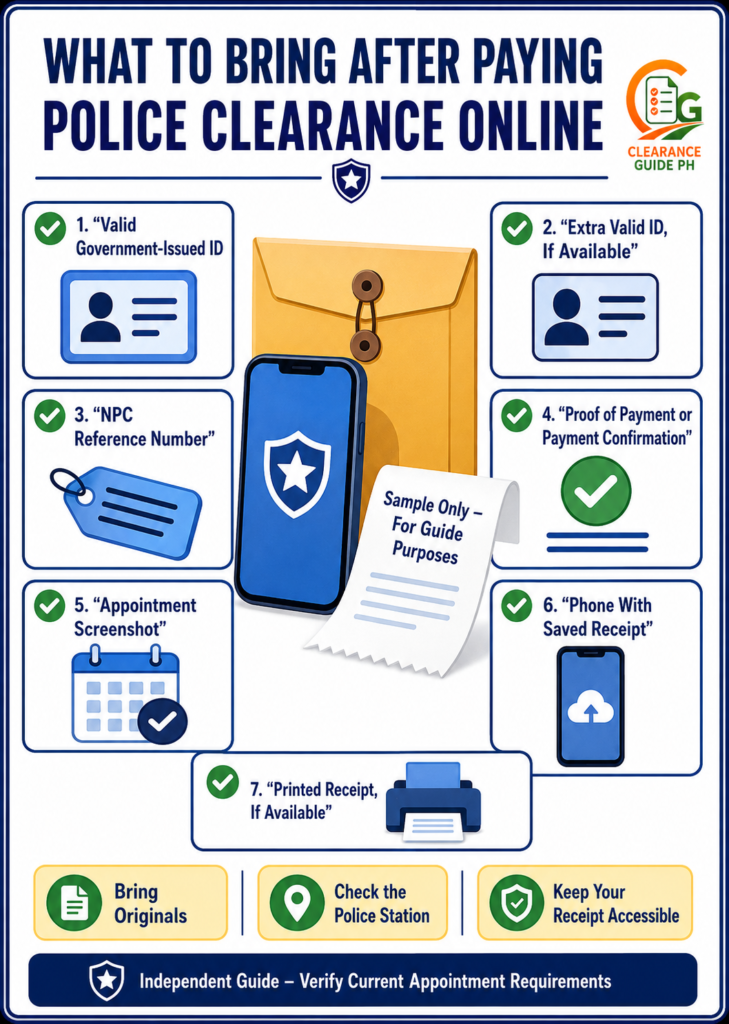
What to Bring After Paying Police Clearance Online
On appointment day, dalhin ang:
- Valid government-issued ID
- Extra valid ID, if available
- NPC reference number
- Proof of payment/payment confirmation
- Appointment screenshot
- Phone with payment receipt
- Printed copy, if available
The official NPCS guide says applicants should present one valid government-issued ID, proof of payment/payment confirmation, and NPC reference number at the police station.
Bago pumunta sa station, siguraduhin na complete ang Police Clearance requirements mo para hindi ka ma-delay sa verification and biometrics.
Common Police Clearance Payment Mistakes
1. Nagbayad sa unofficial page
Huwag magbayad sa random links. Use the NPCS payment flow only.
2. Hindi na-save ang receipt
Receipt is your proof. Screenshot agad.
3. Mali ang reference number
One wrong digit can cause payment matching problems.
4. Kulang ang wallet balance
Remember, may convenience fee. Hindi lang base fee ang kailangan.
5. Nagbayad ulit agad
If deducted na, verify first before paying again.
6. Hindi chineck ang appointment details
Baka wrong station or wrong date pala bago ka pa nagbayad.
Real Tips Para Smooth ang Police Clearance Payment
- Screenshot appointment details before payment.
- Use stable internet.
- Do not pay through random links.
- Follow the Pay to Landbank button from NPCS.
- Check the final amount before confirming.
- Make sure may extra balance for convenience fee.
- Save receipt immediately.
- Check if wallet/bank was deducted.
- Do not double-pay if pending.
- Bring proof of payment on appointment day.
Kung hindi ka pa sure kung Police Clearance ba or NBI Clearance ang kailangan mo, basahin ang comparison guide namin sa Police Clearance vs NBI Clearance para hindi ka magbayad sa maling document.
FAQs About Police Clearance Online Payment
Conclusion
Ang pagbayad ng Police Clearance online ay madali kung susundin mo ang tamang flow: log in sa NPCS, click Pay to Landbank, choose the available payment option, confirm payment, and save your receipt.
Pinaka-importanteng tandaan: huwag magbayad sa random links, huwag kalimutang i-save ang receipt, at huwag magbayad ulit agad kung pending pero deducted na. On appointment day, dalhin ang valid ID, proof of payment, and NPC reference number para smooth ang processing sa police station.
Related Guides:
