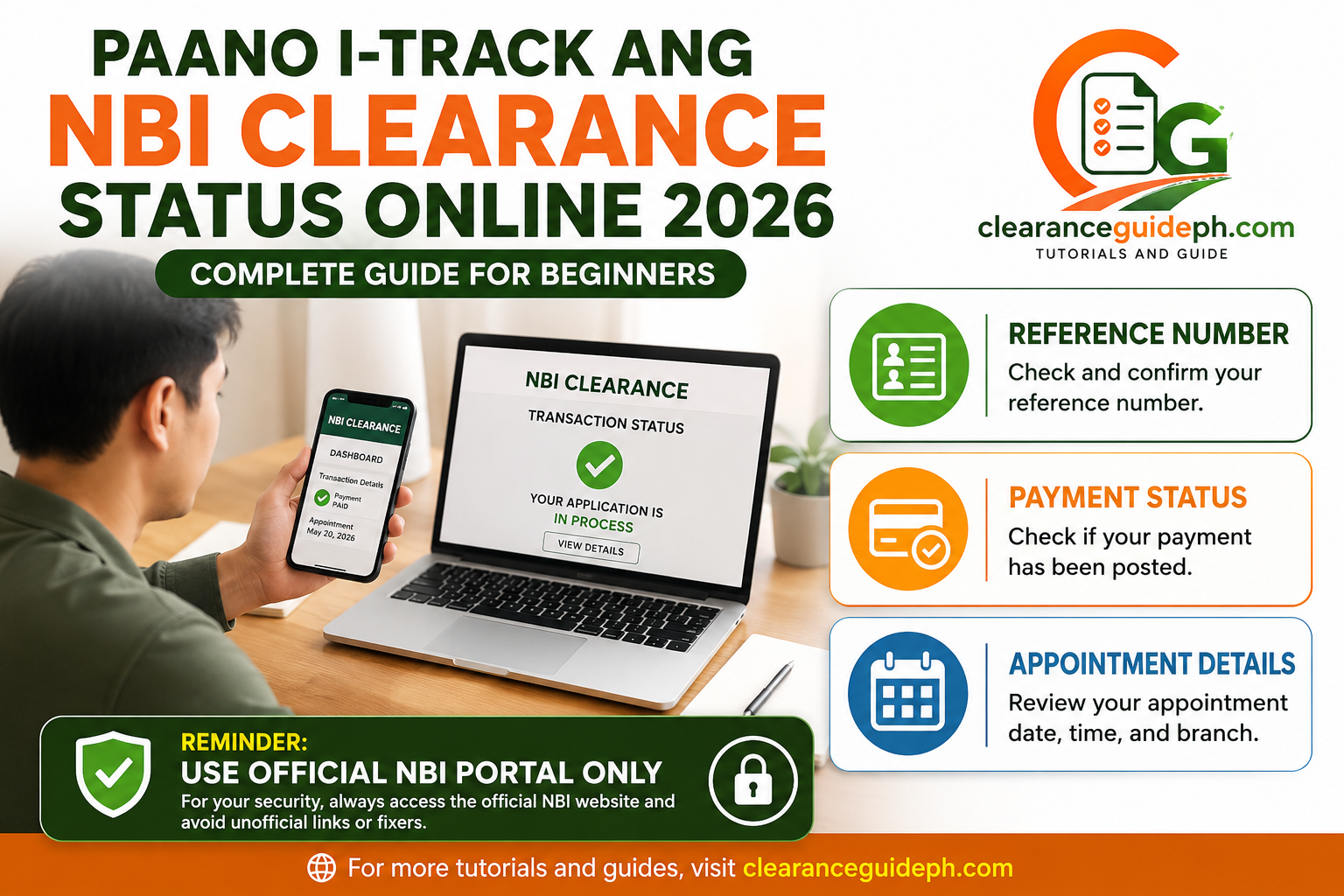
Paano I-Track ang NBI Clearance Status Online 2026
Kung nag-apply ka na ng NBI Clearance online, normal lang na magtanong ka ng ganito: “Paano ko malalaman kung okay na ang application ko?” Lalo na kung nakapagbayad ka na, may appointment ka na, or naghihintay ka ng update dahil may HIT, payment issue, or branch schedule.
Good news: puwede mong i-check ang status ng NBI Clearance transaction mo online gamit ang official NBI Clearance portal. Pero dapat malinaw ito: hindi lahat ng status ay automatic na “ready for release” agad. Minsan ang makikita mo online ay payment status, appointment details, reference number, or transaction record. Para sa final release, branch instruction pa rin ang susundin mo.
Sa guide na ito, tuturuan kita step-by-step kung paano i-track ang NBI Clearance status online, ano ang dapat mong i-check, ano ang ibig sabihin ng possible status, at ano ang gagawin kung hindi nagre-reflect ang payment or hindi malinaw ang update.
Kung gusto mo ng full guide sa iba’t ibang clearance requirements, basahin din ang aming Complete Clearance Guide Philippines 2026.
What Does “Track NBI Clearance Status Online” Mean?
Tracking your NBI Clearance status online means checking your transaction details through the official NBI Clearance system. Usually, applicants want to know if their payment is posted, if their appointment is confirmed, if their reference number is correct, or if there are updates related to processing.
For beginners, isipin mo ito na parang checking ng order status. Pero instead of parcel tracking, ang chine-check mo ay government clearance transaction. Kaya mas importante na official source ang gamitin mo, hindi random links.
What You Can Usually Check Online
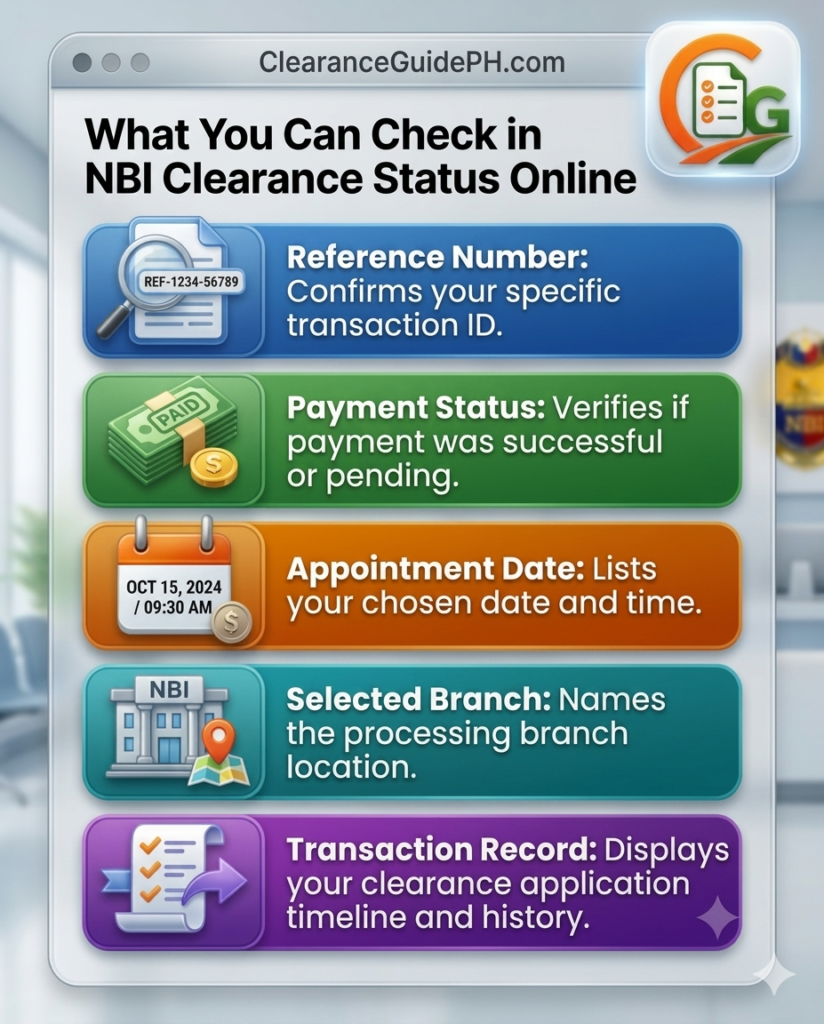
Depending on the current version of the NBI Clearance portal, you may be able to check details such as:
- Your application or transaction record
- Reference number
- Payment instruction or payment status
- Appointment date
- Selected NBI branch
- Personal details submitted
- Renewal or new application record
- Possible transaction notes, if available
Hindi ibig sabihin na lahat ng applicants ay pare-pareho ang makikita. Puwedeng magbago ang labels, layout, or available options sa portal. Ang importante, you log in using the same account you used when applying.
Beginner Reminder
Kung wala kang reference number, mahirap i-track ang transaction mo. The reference number is one of the most important details in your NBI Clearance application. Save it, screenshot it, and do not share it with random people.
Requirements Before Tracking Your NBI Clearance Status
Bago ka mag-check online, ihanda muna ang basic details. Para hindi ka pabalik-balik, make sure you have access to the same information you used during registration.
Prepare These Details First
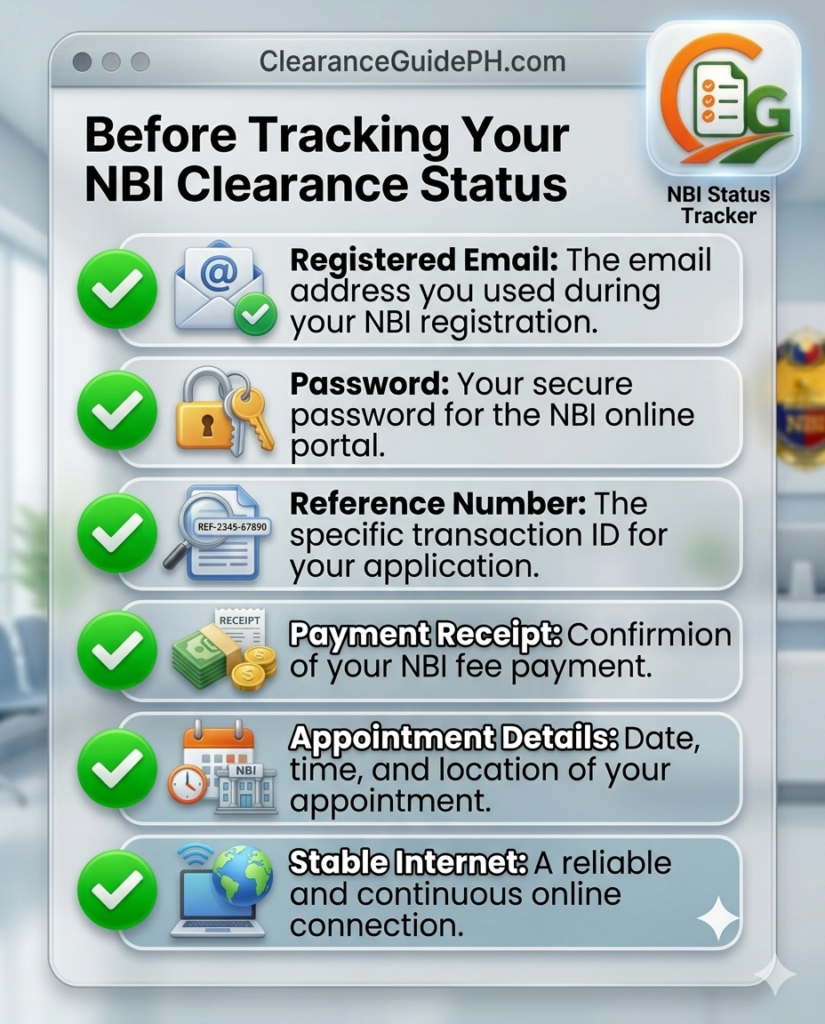
You may need:
- Registered email address
- Account password
- NBI Clearance reference number
- Payment receipt or transaction ID
- Appointment date
- Selected NBI branch
- Stable internet connection
- Phone or laptop
Simple lang, pero maraming applicants ang nagkakaproblema dahil hindi nila na-save ang reference number or hindi nila maalala ang email na ginamit sa registration.
Why the Reference Number Is Important
Your reference number connects your application to your payment and appointment. Kapag mali ang reference number na nabayaran mo, puwedeng hindi mag-reflect ang payment sa tamang transaction. Kapag nawala naman ang reference number, mas mahirap i-check or i-explain ang concern mo.
Practical Tip
Create a folder sa phone mo named NBI Clearance 2026. Ilagay doon ang screenshots ng reference number, receipt, appointment schedule, and valid ID reminder. Mas madali mong mahahanap kapag appointment day na.
Step-by-Step Guide: How to Track NBI Clearance Status Online
Ito na ang actual tutorial. Sundan mo lang step by step.
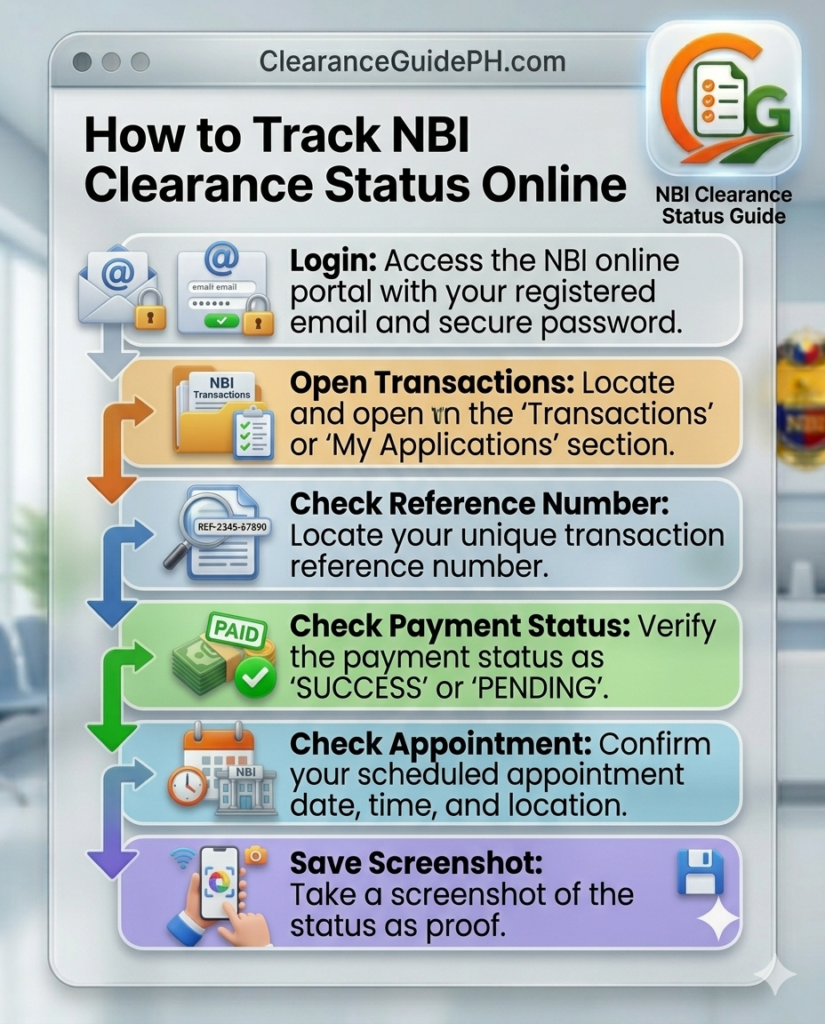
Step 1: Go to the Official NBI Clearance Portal
Open your browser and go to the official NBI Clearance portal from the NBI website. Huwag mag-click ng random links from comments, messages, or unknown pages. Since personal information ang involved, official government channel lang ang gamitin.
Step 2: Log In Using Your Registered Email and Password
Use the same email and password you used during registration. Kung ibang email ang ginamit mo, hindi mo makikita ang transaction mo. Kung nakalimutan mo ang password, use the official forgot password option if available.
Do not share your password with anyone. Kahit sabihin ng iba na tutulungan ka nila, risky pa rin. Your NBI account contains personal information.
Step 3: Go to Your Transaction or Application Page
After logging in, look for your transaction, application, dashboard, or appointment details. The exact label may vary depending on the portal layout. Ang hinahanap mo ay record ng application mo.
Usually, this is where you can check if your application exists, if your appointment is listed, and if payment-related details are available.
Step 4: Check Your Reference Number
Compare your saved reference number with the one shown in your account. Dapat exact match. One wrong digit can cause confusion, especially if you are checking payment status.
Step 5: Check Your Payment Status
Look for any payment-related indicator. Possible na makita mo ang paid, pending, or transaction details depending on the system display. Kung kakabayad mo lang, give it time to post before assuming na failed agad ang payment.
Step 6: Check Your Appointment Date and Branch
Review your selected branch, date, and schedule. Make sure kaya mong pumunta on that date. Kung mali ang branch or date, mas maaga mong makita online, mas may chance kang maayos before appointment day.
Step 7: Save or Screenshot the Status Page
Take a screenshot of your transaction page, payment proof, appointment date, and reference number. This can help if you need to contact official support or explain your concern at the branch.
Important Reminder
Tracking is not just about checking once. Kung may payment delay or HIT concern, you may need to check again later. But avoid making duplicate payments or duplicate applications unless official instruction says so.
How to Check If Your NBI Payment Has Reflected
Payment status is one of the biggest concerns ng applicants. Minsan nabawas na ang pera sa wallet or bank account, pero hindi pa lumalabas agad sa NBI transaction. Kapag nangyari ito, huwag agad magbayad ulit.
Signs That Payment May Be Okay
Possible signs na okay ang payment mo:
- May payment confirmation ka
- May transaction ID
- May receipt or screenshot
- Amount and reference number are correct
- Payment status eventually updates in your transaction
But remember, the safest confirmation is what appears in your official NBI transaction and official payment proof.
What If Payment Is Still Pending?
If payment is pending, do this:
- Check if the reference number is correct.
- Save proof of payment.
- Wait for payment posting.
- Do not pay twice immediately.
- Contact official support if the issue continues.
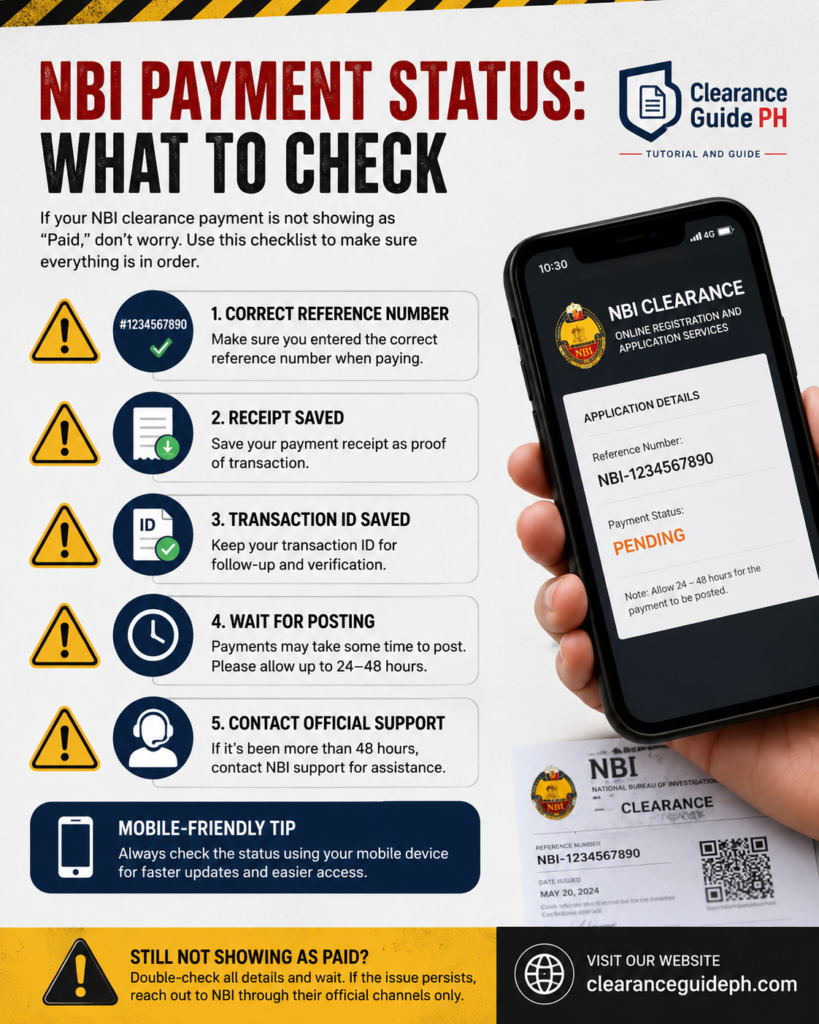
Do Not Pay Twice Too Quickly
Duplicate payment can create more problems. Mas okay na i-check muna ang reference number, transaction ID, and official support options before paying again.
Kung hindi pa rin nagre-reflect ang payment mo, sundan ang aming payment not reflected fix guide.
How to Track Appointment Status
Your appointment details are part of your transaction. Kapag nag-track ka online, check mo rin kung tama ang appointment branch, date, and time slot. Maraming delay ang nangyayari dahil hindi napansin ng applicant na mali pala ang branch or date.
What Appointment Details Should You Check?
Check these:
- NBI branch
- Appointment date
- Morning or afternoon schedule, if shown
- Payment status
- Valid ID reminder
- Reference number
What If You Missed Your Appointment?
If you missed your appointment, log in and check if your transaction still shows available options. If unclear, contact official NBI Clearance support or your selected branch. Do not assume that your old schedule can still be used without checking.
Appointment Day Tip
Arrive early, bring valid ID, save your reference number, and bring proof of payment. Kung may issue sa system or payment, mas madali kang makakapag-explain kapag kumpleto ang proof mo.
For appointment booking and schedule tips, read our NBI appointment online guide.
What “No Hit” and “With Hit” Mean for Status Tracking
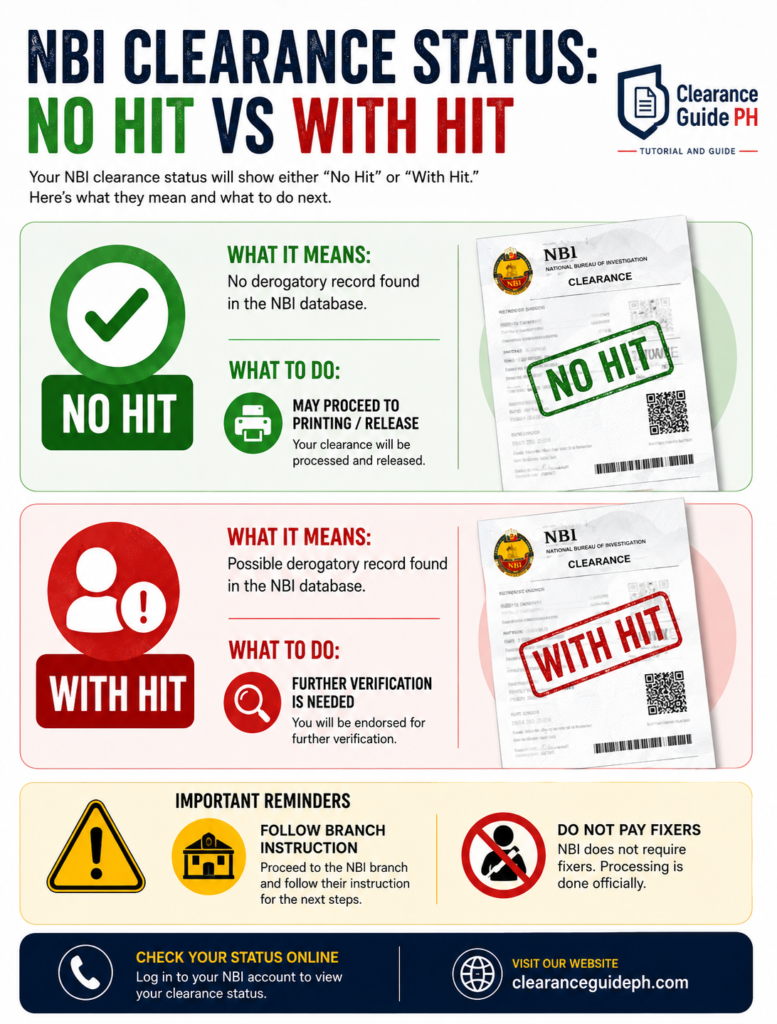
Kapag appointment day na and na-process na ang biometrics mo, possible na marinig mo ang terms na No Hit or With Hit. Importanteng maintindihan ito para hindi ka mag-panic.
No Hit Meaning
If your application is marked No Hit, it generally means walang issue na kailangan pang i-verify based on the processing result, so the clearance may proceed to printing or release based on branch procedure.
With Hit Meaning
If your application is marked With Hit, it means may possible name match or record that needs further verification. Hindi ibig sabihin nito automatic na may kaso ka. Minsan namesake or similar details lang, but NBI still needs to verify.
What to Do If You Have a Hit
Follow the branch instruction. Kung sinabihan kang bumalik sa scheduled release date, sundin iyon. Huwag magbayad sa fixer. Huwag gumawa agad ng bagong application unless official instruction says so.
Tracking Reminder for HIT Cases
Online status may not always explain everything about a HIT. For HIT or quality control concerns, the branch instruction is very important. Keep your receipt and reference number until your clearance is released.
Kung gusto mong maintindihan nang mas malinaw ang HIT, basahin ang aming NBI Clearance HIT meaning guide.
What to Do If You Cannot Log In to Track Your Status
Kung hindi ka makapag-log in, hindi mo rin makikita ang transaction mo. Usually, login problems happen because of wrong email, wrong password, typo, unstable internet, or browser issue.
Check Your Email Address
Make sure same email ang ginagamit mo. Kung may multiple emails ka, try to remember which one you used during registration.
Check Your Password
Passwords are case-sensitive. Ibig sabihin, iba ang uppercase and lowercase. Also check if may extra space before or after your password.
Try Another Browser or Device
Kung ayaw gumana sa phone browser, try laptop. Kung ayaw sa isang browser, try another browser. Minsan simple browser issue lang.
Use Official Reset Options
If you forgot your password, use the official reset or forgot password option if available. Do not ask random people to access your account for you.
Security Reminder
Your NBI account may contain personal information. Never share your login details, valid ID photos, or payment proof with unofficial agents.
When to Contact Official NBI Support
If your payment is still not reflected, your appointment details are unclear, your account has login issues, or your transaction does not appear, you may need to contact official NBI support.
Use only official contact channels. Do not send your details to unofficial pages or private agents. For NBI Clearance inquiries, use the official NBI contact information provided by NBI.
What to Prepare Before Contacting Support
Prepare these before sending a concern:
- Full name
- Registered email
- Reference number
- Payment receipt
- Transaction ID
- Appointment date
- Selected branch
- Screenshot of the issue
- Short explanation of the problem
Sample Message to Official Support
Subject: NBI Clearance Payment Status Concern
Good day. I would like to ask for assistance regarding my NBI Clearance transaction. My payment has already been made, but the status is not yet reflected in my account.
Name: [Your Full Name]
Registered Email: [Your Email]
Reference Number: [Reference Number]
Payment Date: [Date]
Payment Channel: [Payment Method]
Transaction ID: [Transaction ID]
Selected Branch: [Branch]
Appointment Date: [Date]
Attached are my payment proof and screenshot of the issue. Thank you.
Keep Your Message Clear
Huwag masyadong mahaba. Include only the important details. The clearer your message, the easier it is for support to understand your concern.
- Name
- Reference number
- Receipt
- Transaction ID
- Screenshot
- Branch and appointment date
Mobile-friendly note: Use support ticket style layout.
Common Tracking Problems and Fixes
Hindi lahat ng tracking issues ay serious. Some are simple mistakes. Here are the common problems and what you can do.
Problem 1: Payment Not Reflected
Possible cause: delayed posting, wrong reference number, or payment provider issue.
Fix: check reference number, save proof, wait for posting, and contact official support if needed.
Problem 2: Transaction Not Showing
Possible cause: wrong account/email used.
Fix: log in using the exact email used during registration.
Problem 3: Wrong Appointment Details
Possible cause: wrong branch or date selected during application.
Fix: check available options in your account or contact official support if unclear.
Problem 4: Forgot Password
Possible cause: wrong password or forgotten login details.
Fix: use official reset option if available.
Problem 5: With Hit Status
Possible cause: possible name match or record verification.
Fix: follow branch instruction and return on the scheduled date if instructed.
Best Fix for Most Problems
Save everything. Screenshots, receipts, reference number, transaction ID, appointment details. Kapag may proof ka, mas madaling magpa-check.
To avoid delays, read our guide on common mistakes sa clearance application.
Safety Tips When Tracking NBI Clearance Online
Tracking your NBI Clearance status involves personal information. Be careful.
Do Not Share These Details Publicly
Never post or share:
- Reference number
- Payment receipt
- Valid ID photo
- Password
- Full birthday
- Home address
- Screenshot with personal details
Avoid Fixers and Unofficial Agents
Do not pay anyone who says they can speed up your status, remove HIT, change your record, or guarantee release. Use official government channels only.
Check the Website Carefully
Before entering your login details, make sure you are using the official NBI Clearance portal from the official NBI website. Do not log in through suspicious links.
Simple Security Rule
If someone asks for your password, valid ID, or private payment details, stop. Official support should not need your account password.
10 Frequently Asked Questions About Tracking NBI Clearance Status Online
1. Can I track my NBI Clearance status online?
Yes. You can check your NBI Clearance transaction through the official NBI Clearance portal using your registered account. The details shown may include transaction, appointment, reference number, or payment-related information depending on the system display.
2. What do I need to track my NBI Clearance status?
You usually need your registered email, password, reference number, payment proof, and appointment details.
3. Where can I find my NBI reference number?
Your reference number is generated during your application or transaction. It may appear in your account, payment instruction, or saved screenshot.
4. What if my NBI payment is not reflected?
Do not pay again immediately. Check your reference number, save proof of payment, wait for posting, and contact official support if needed.
5. Can I track if my NBI Clearance is ready for release?
You may be able to check transaction details online, but final release instructions may still depend on branch processing. If you have a HIT, follow the return date or instruction given by the NBI branch.
6. What does With Hit mean?
With Hit means your application needs further verification. It does not automatically mean you have a criminal case. It may involve a namesake or record that NBI needs to verify.
7. What does No Hit mean?
No Hit generally means your application may proceed to printing or release based on branch procedure.
8. What if I cannot log in to my NBI account?
Check if you are using the correct email and password. Try another browser or device. Use the official reset option if available.
9. Should I send my reference number to someone online for help?
Do not send private transaction details to unofficial agents. Use official NBI support channels only.
10. What should I bring on appointment day?
Bring your valid ID, reference number, appointment details, payment proof, and any required documents. Save both digital and printed copies if possible.
Conclusion
Tracking your NBI Clearance status online is simple if you know what to check. Start with the official NBI Clearance portal, log in using the correct email, review your transaction, check your reference number, confirm payment status, review appointment details, and save screenshots.
Kung may issue tulad ng payment not reflected, missing transaction, login problem, or With Hit status, huwag mag-panic. Check your details first. Save proof. Follow official branch instructions. Contact official NBI support when needed.
Most importantly, avoid fixers and unofficial agents. Your NBI Clearance application contains personal information, so protect your account, password, ID details, and payment proof.
Kung gusto mo ng complete step-by-step application tutorial, read our full NBI Clearance online guide.
